
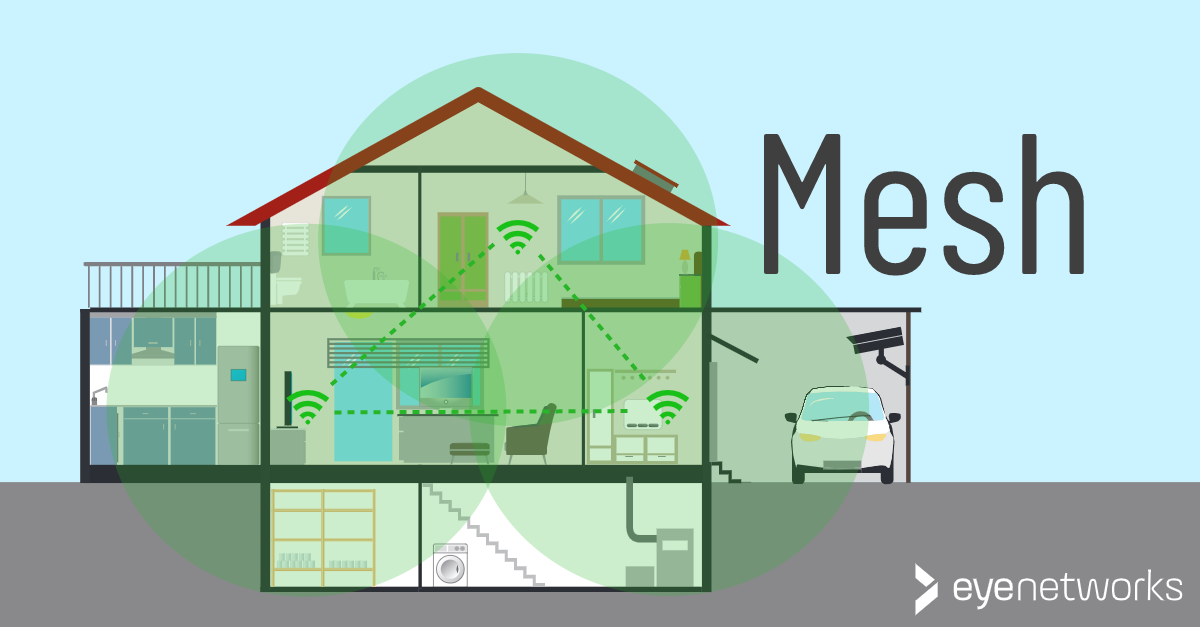
What is a mesh network, what does it mean for wifi, and when can it be useful in a home?
What Is A Mesh Network?
A mesh network is a network where multiple devices (nodes) are connected to each other without the connection needing to go through a central server or hub.
In a mesh network, each node can thus communicate directly with all other nodes within range, and data traffic can be redirected based on which nodes are available.
Therefore, mesh networks are also considered fault-tolerant; the network can remain up even if one or more nodes go down. Like many other networking technologies, mesh was originally developed for military use.
What Is A Wireless Mesh?
In mesh wifi, nodes are wireless access points that act together as a single network. Two or more access points have been spread throughout a home, building, or larger area, providing access to the same wifi network.
These access points can be dedicated mesh devices that only provide wifi access, or they can be built into another device, most often a router or gateway. Some mesh solutions have one main device (often called a controller), others have only peer nodes.
Note that a mesh network is different from the more old-fashioned setup of a router and a wifi repeater, where the repeater uses the signal from the router to create an additional network. You can read more about the characteristics of a router/repeater setup here: Router, repeater and access point – what’s the difference?
Most wireless mesh networks have the following in common:
- Shared SSID: One network name and one password regardless of the number of nodes in the network.
- Client steering: Clients (mobile phones, PCs, tablets) that connect to the network are automatically managed to the best access point for them.
- Band steering: The network may also determine which frequency band will provide the best performance for each client at any given time.
- Self-healing: If a node were to go down temporarily or permanently, the network will route around the problem where possible. Coverage will naturally be poorer in the area that the node was supposed to cover.
Why Get Mesh Wifi?
As simple rules of thumb, we like to say that wifi mesh is recommended:
- In large homes
- In homes with older children and/or a large number of connected clients
- When using streaming subscriptions and high-quality video conferencing services
- When there is a fiber internet subscription
- When full coverage is needed and expected throughout the home
See also: Do You Need Mesh Wifi At Home?
EasyMesh: An Industry Standard For Mesh
EasyMesh is a standard from the WiFi Alliance. This standard is still relatively new and is not yet supported by most mesh solutions on the market.
In the short term, EasyMesh doesn’t mean you’ll be able to start adding access points from different vendors to the same mesh, but it does mean that vendors are starting to commit to using open standards, creating more predictability and reliability for everyone from chipset vendors to consumers.
If you want to learn more about mesh standardization, you can start with our article about EasyMesh here: EasyMesh: A Brief Introduction .
Here at Eye Networks, we sell, among other things, Zyxel’s mesh solution, which is based on the EasyMesh standard. You can read more about our wifi solutions here: Wifi from Eye Networks .
Examples of Mesh That Is Not Wifi
Mesh didn’t originate as a wifi technology, and not all mesh is wifi. You may come across other mesh networks for home use, the most common example being wireless speakers like Sonos.
We have written about how to avoid interference between Sonos and wifi here: Sonos and wifi: How to minimize wireless interference.
This guide is part of the All About Mesh series: