
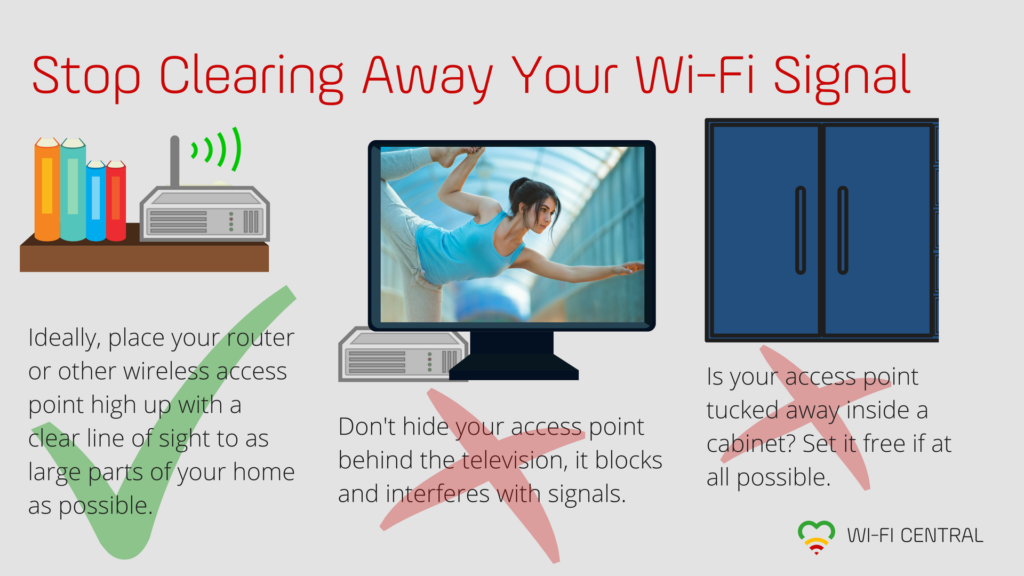
Note to neat freaks: If you keep covering your access points up, you are actively making your home wifi a lot worse than it needs to be.
We know, we know—routers and other wireless access points tend to be visually boring at best, downright ugly at worst. But if you don’t stop hiding yours, you will keep making your own network performance worse than it needs to be.
Wifi Signals Don’t Like Physical Barriers
How problematic such a barrier is, depends entirely on the material it is made of—you can read more about this here: Wifi Signal Loss by Material.
Therefore, the best position for any router, extender, or other wireless access point, is:
- as centrally as possible in the area it should cover
- high up
- not behind or underneath anything
Your TV Is Murder For Your Wifi Signals
Because network equipment is often co-located with television receivers in the home, a common temptation is to take that ugly router and shove it behind the TV where it might not get noticed. The trouble with that is, your TV is a double whammy for your Wi-Fi: a physical barrier of materials that weaken the signals as they try to pass, and possible signal interference from the electronics.
Technical Cabinets Are A (Very) Bad Idea For Wifi
We understand this may not have been your idea—some companies have made it their standard solution to put all networking equipment they deliver inside the same “technical cabinet”. These cabinets are usually made of metal and often located in the basement, hallway, or another less-than-ideal location.
If your only wireless access point is inside a cabinet, get it out of there if at all possible, or replace it with access points that you can move to more appropriate locations.
If you want to improve your home wifi with new equipment, we recommend a mesh network that covers the entire home—we at Eye Networks distribute mesh solutions from eero and Zyxel to internet service providers.
Article by Jorunn Danielsen